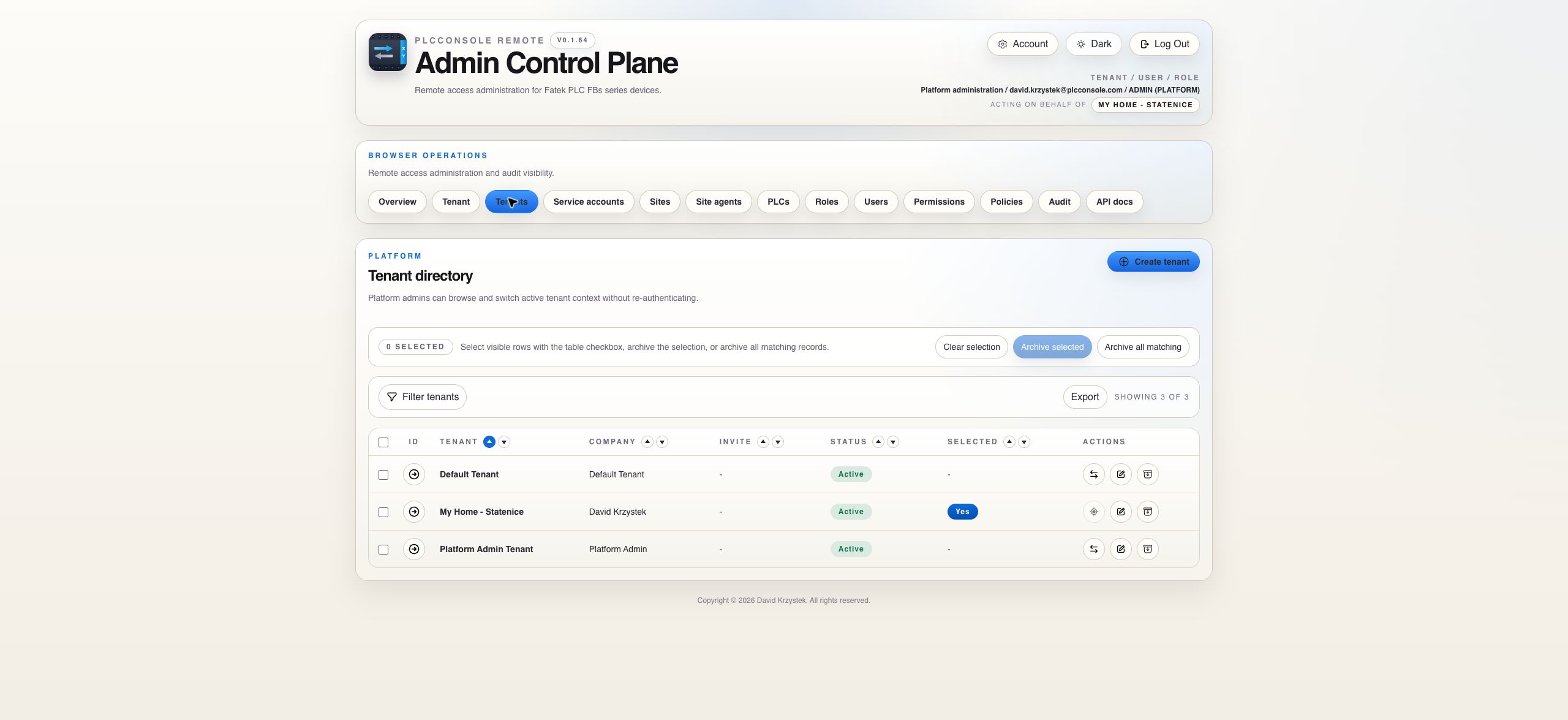
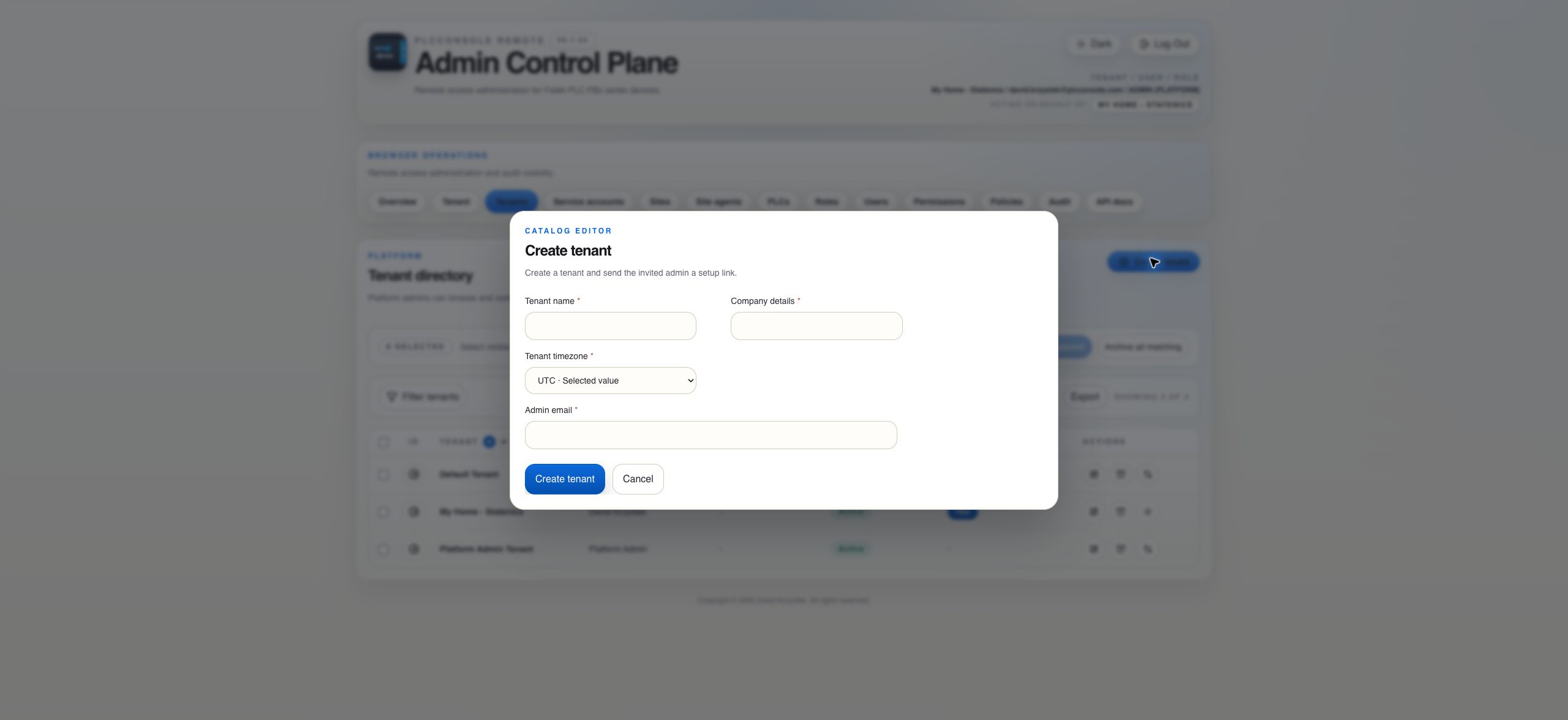
Tenant creation generates a single-use invitation for the nominated tenant administrator. The tenant remains disabled until that invitation is accepted. Acceptance creates the tenant administrator account, seeds tenant role templates when required and activates the tenant.
Expired or already-used invitations cannot be replayed. Standard invitation and user-creation flows always create tenant users rather than platform administrators.
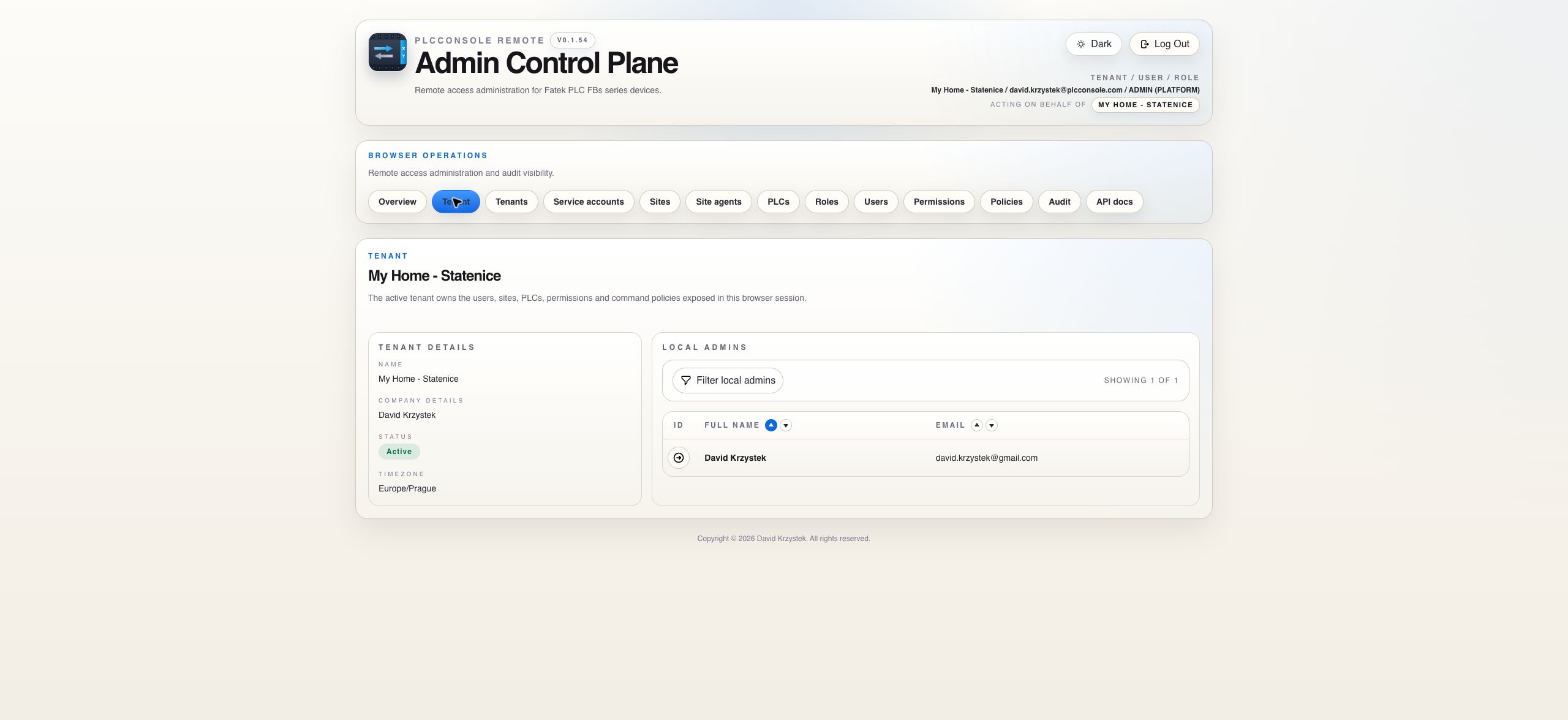
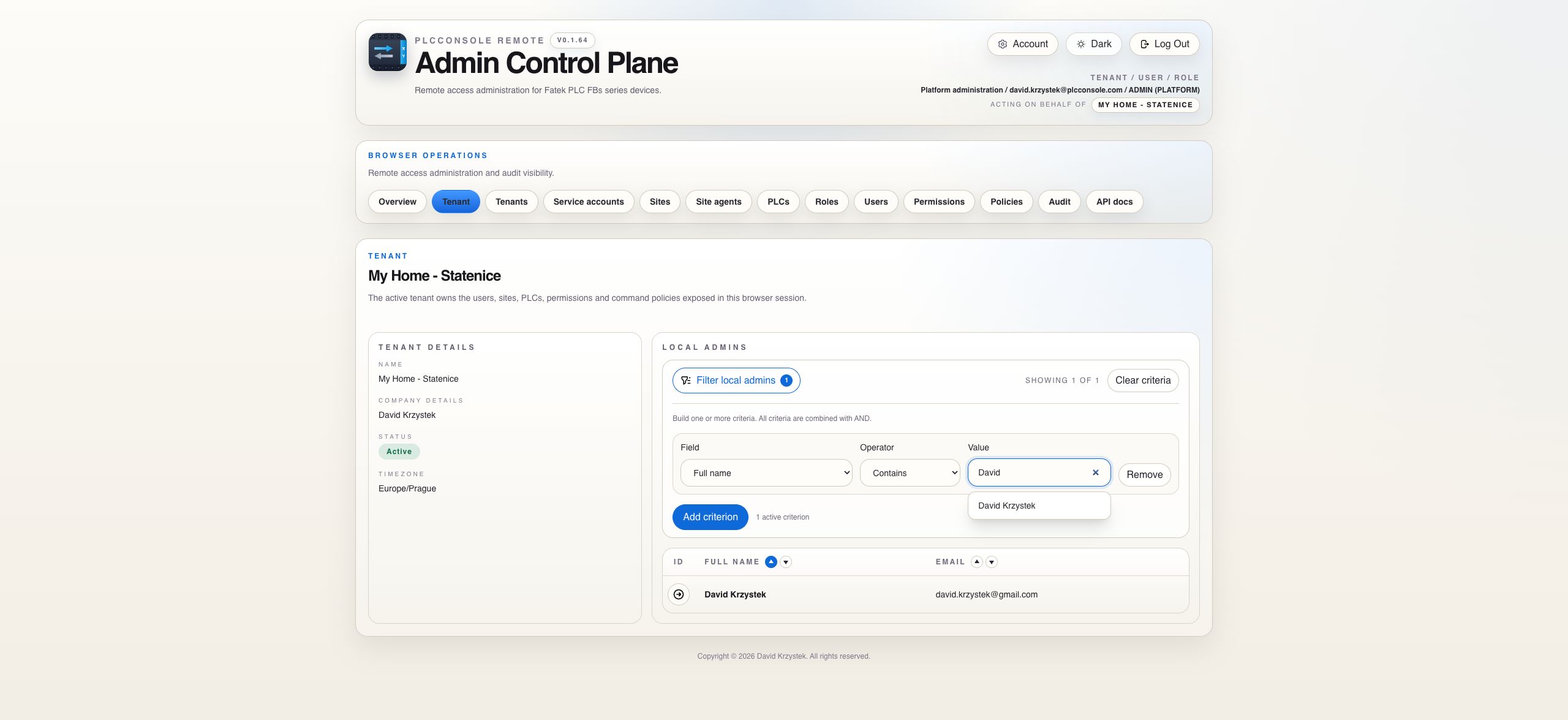
Current Tenant
Verify organization details and local administrators
Tenant details
Responsibility
Confirm the organization currently in scope.
Review active local administrators by full name and email.
Filter, sort and paginate the administrator list independently of other catalogs.
Use the header Acting on behalf of indicator when a platform administrator is inside a tenant context.
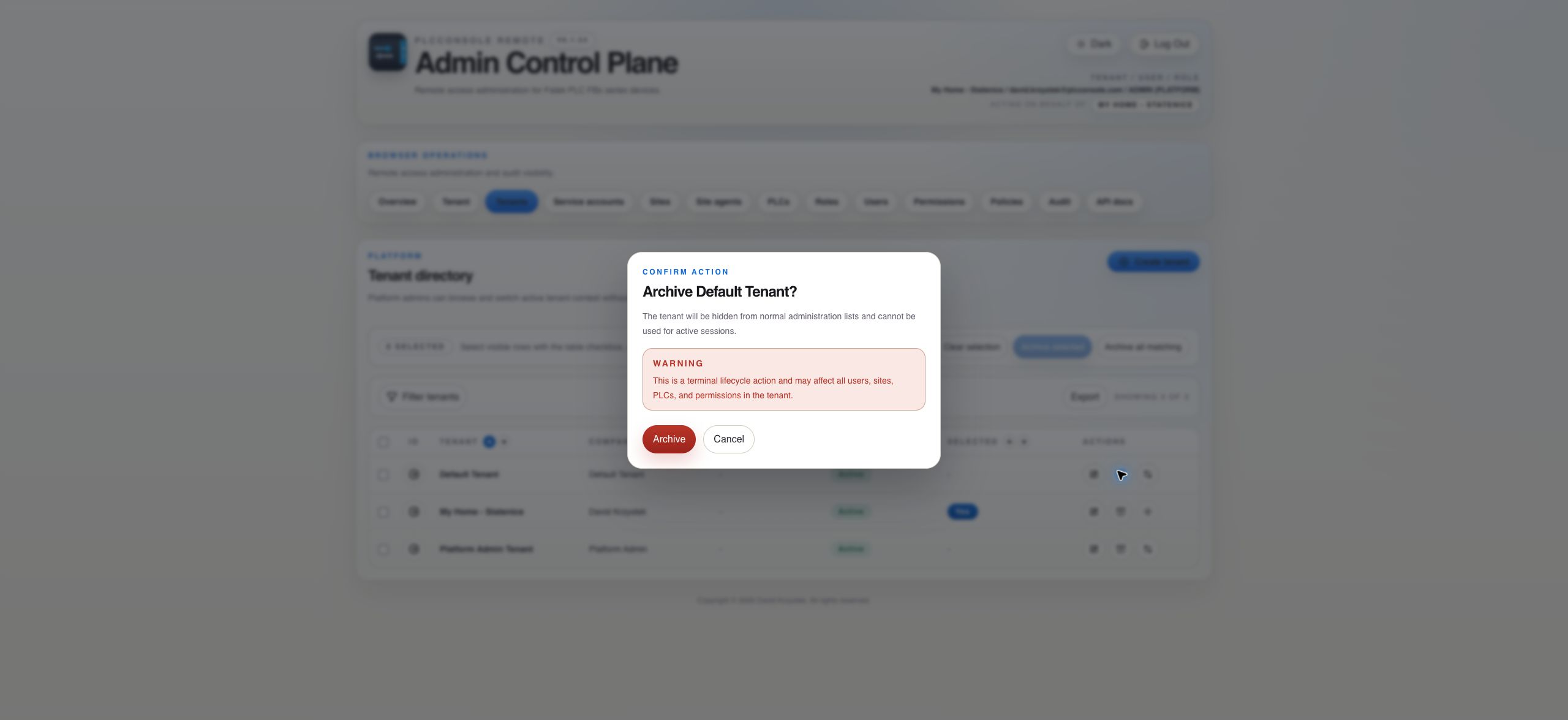
Use Disabled when access should pause but the tenant may return. Use archive when the tenant should be hidden from normal administration and excluded from active-session flows. Both choices preserve history; archive is a soft-delete style terminal state rather than physical deletion.
Responsibility Boundary
Use platform authority only for platform work
Responsibility
Platform administrator
Tenant administrator
Tenant directory
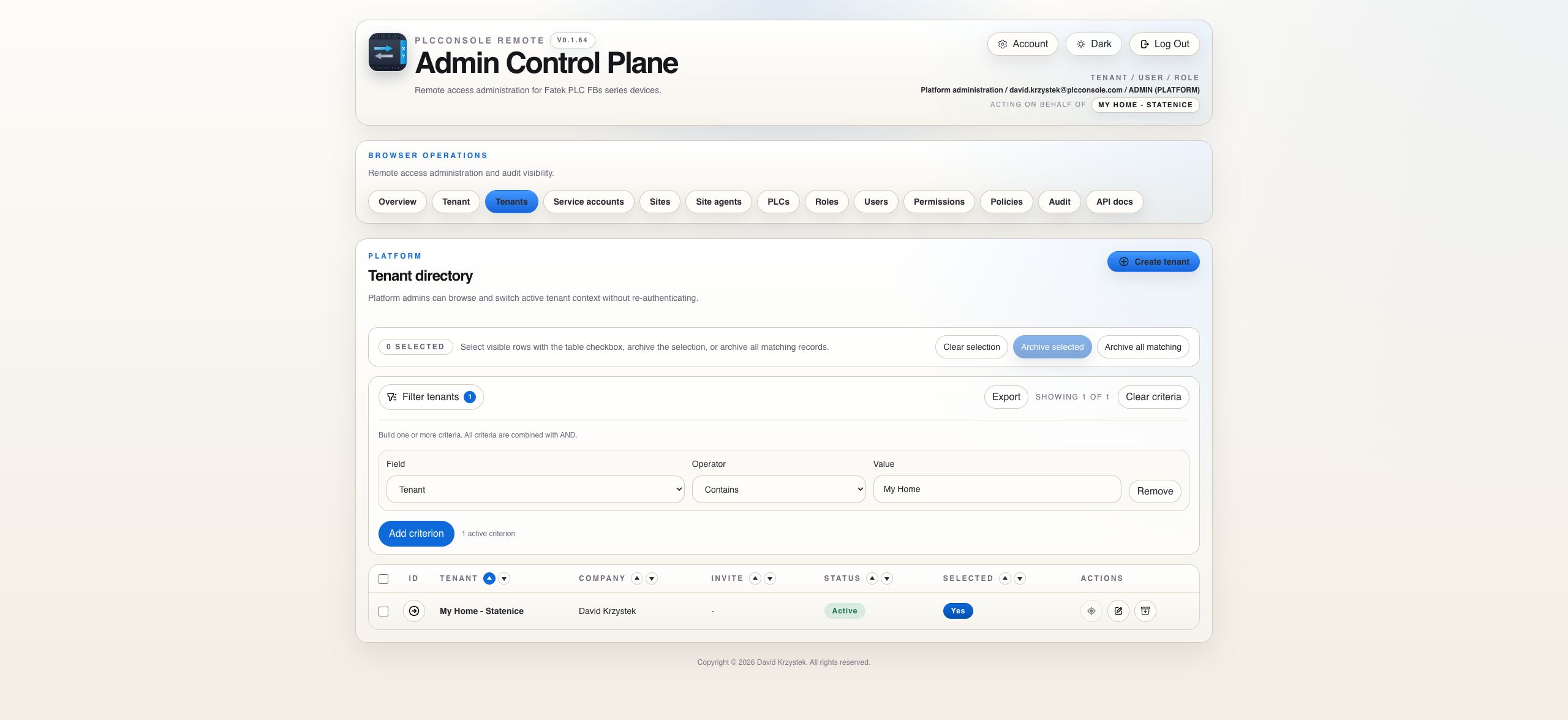
Create, inspect, select, disable, re-enable and archive tenant records.
No cross-tenant directory access.
Tenant onboarding
Nominate the first tenant administrator and resend a pending invitation.
Accept the invitation and continue tenant-local administration.
Tenant catalogs
May enter a tenant context for support or administration.
Manage users, sites, PLCs, roles, permissions, policies, agents and audit within their own tenant.
Platform-admin identity
May explicitly create or edit platform administrators where the gated UI permits it.
Ordinary create-user and invite flows always create tenant users.
Context rule: the tenant directory remains a platform surface. Tenant-scoped changes should be performed only after the header confirms the intended Acting on behalf of tenant.
Procedure
Create, invite and hand over a tenant
Before you begin
Confirm the tenant name and company details.
Confirm the first administrator's email.
Know whether SMTP invitation delivery is enabled.
Check that the tenant does not already exist under a similar name.
Expected result
The tenant is created with an invitation pending and remains disabled until acceptance. Acceptance creates the tenant administrator, seeds missing tenant role templates and activates the tenant.
Steps
Choose Create tenant and enter the organization details plus invited administrator email.
Submit and verify Invite pending in the directory.
If email delivery is disabled, retrieve and deliver the logged invitation URL through a trusted private channel. Do not place it in ordinary tickets or public chat.
Resend only when needed; the recipient should use the newest valid invitation.
After acceptance, switch to the tenant and verify the local administrator from the Tenant page.
Create sites, connectivity and PLC records only after the ownership boundary is confirmed.
Lifecycle Safety
Pause access differently from ending the tenant relationship
Disable
Use Disabled for a temporary suspension where the tenant may return. Preserve the record, investigate the reason and re-enable only after the access condition is resolved.
Archive
Use archive as the terminal soft-delete style action. The tenant disappears from normal lists and active-session flows while historical evidence remains.
Before archive
Confirm that a temporary disable is not sufficient.
Review active administrators, users, agents, PLCs and service integrations.
Export or retain required evidence according to the applicable retention policy.
Read the confirmation count, especially after filtering or bulk selection.
Archive and verify that the tenant is absent from the normal directory.
If onboarding appears stuck: verify whether the problem is message delivery, an expired link or an already-used invitation. Do not create duplicate tenants to work around an invitation problem.
 PlcConsole