PlcConsole
Remote Manual · Evidence

Audit and troubleshooting

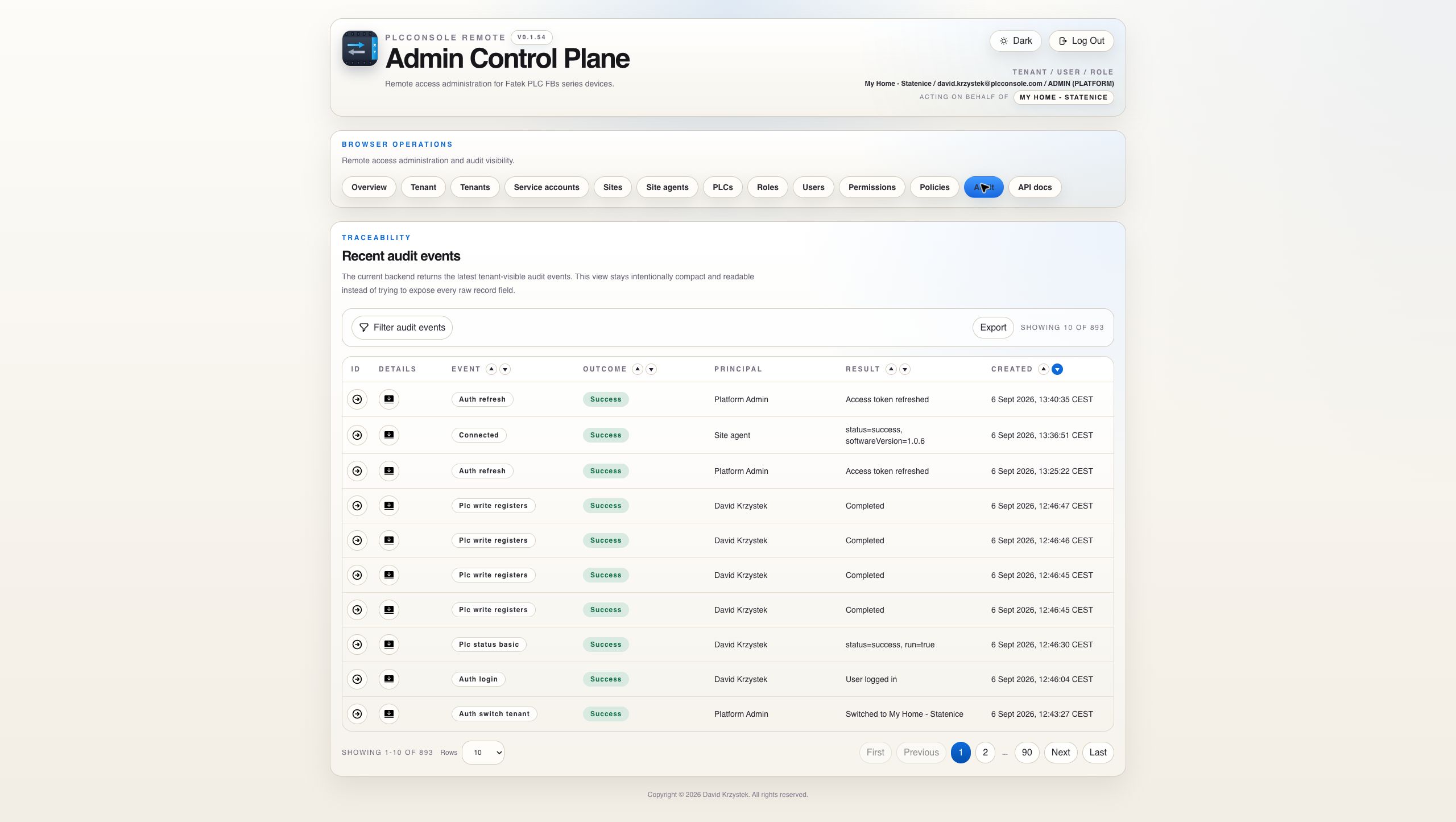
Move from a visible symptom to the responsible event, then inspect request, result and correlation evidence without exposing every raw field in the table.

Recent Events

Use audit history as evidence, not merely a log stream

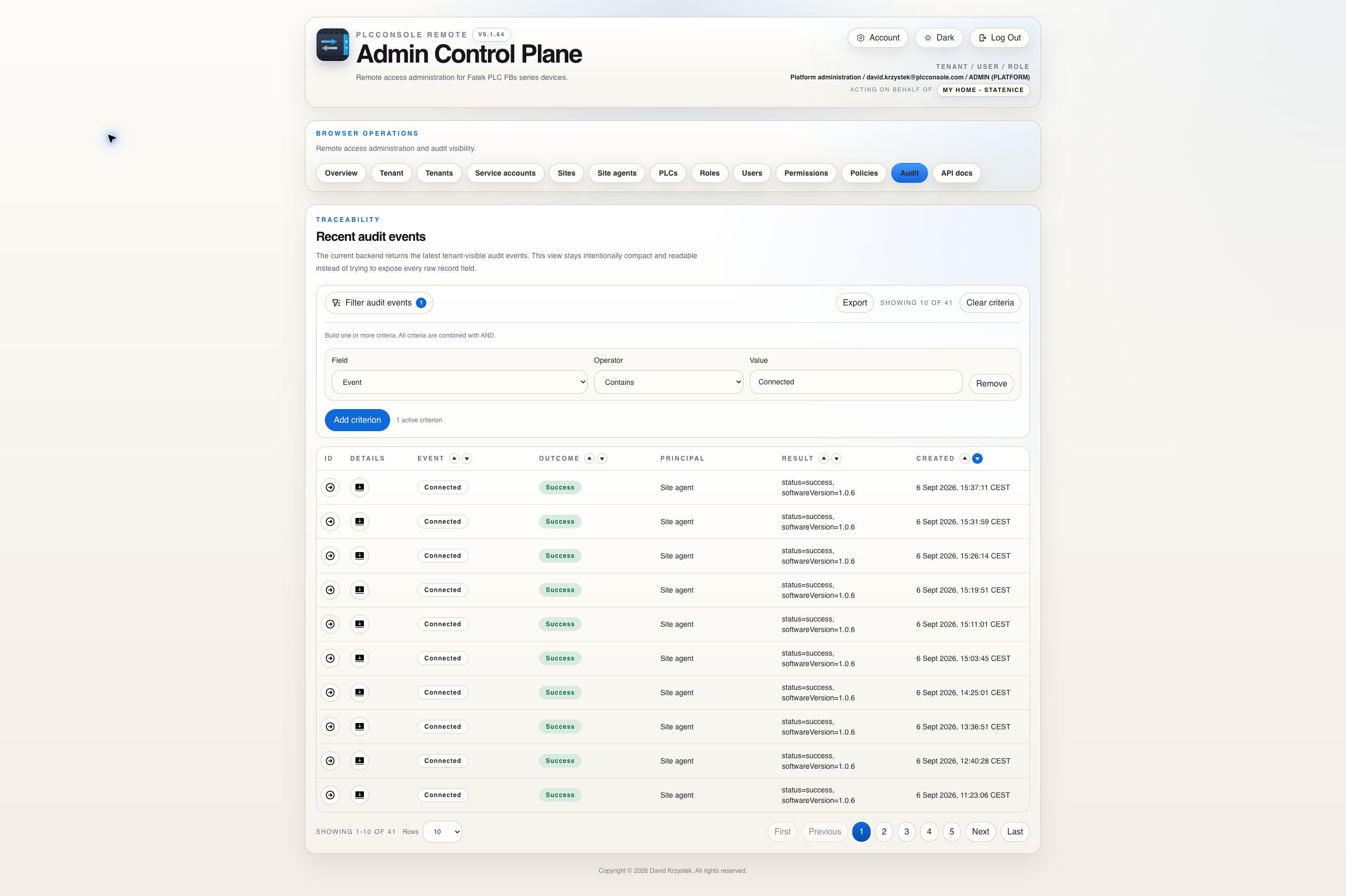
The table provides a compact tenant-visible event projection. Filter the dataset before opening the event that matters.

Event Expansion

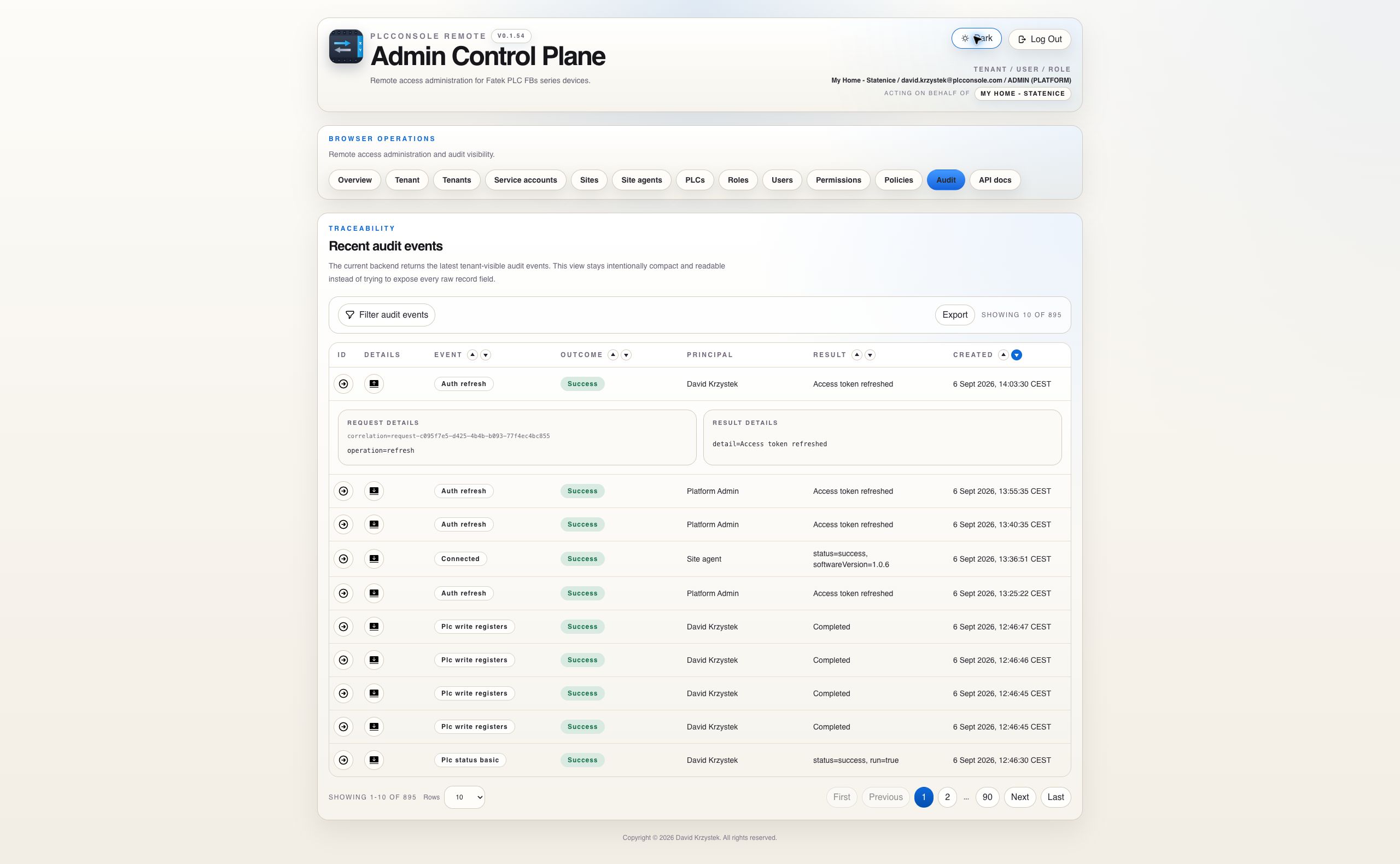
Separate request evidence from result evidence

Investigation Workflow

Trace from signal to cause

1

Define the time

Select the shortest dashboard window that still contains the symptom.

2

Classify the event

A denial points to visibility, permission or policy. A failure points to execution, connectivity or the PLC response.

3

Correlate evidence

Open the event, retain its correlation identifier and compare server, site-agent or infrastructure logs for the same interval.

For site-agent incidents first verify whether the state is Disconnected or a live connection with a stale heartbeat. For command incidents verify the principal and scope before checking the PLC policy and execution result.

Event Reference

Classify the event before reading its attributes

Event familyWhat it provesUseful evidence
Authentication and passwordA sign-in, recovery, password change or session-security action was attempted.Outcome, principal when available, source context, timestamp and correlation.
Configuration changeA tenant, user, role, assignment, site, PLC, policy, agent or machine identity changed.Actor, target ID, request attributes, result attributes and changed values.
PLC commandAn explicit PlcConsole-owned operation was requested.User, site, PLC, operation, addresses where appropriate, duration and result.
Authorization deniedThe request was stopped by visibility, permission, scope or command policy.Required permission, target, denial reason and request details.
Site-agent connectionAn authenticated connection changed or an agent reported a version.Connection address where recorded, software version, change direction and timestamps.
Credential lifecycleAn agent credential or service-account token was issued, rotated, revoked or retired.Actor, target identity and outcome. Secret material must never appear.
Procedure

Build an evidence trail from one precise question

Start with a question

Examples: Who changed this PLC? Why was the register read denied? When did the agent start reporting a new version? Which tenant administrator archived the user?

Define the boundary

Identify tenant, approximate time, principal, target resource and expected operation before adding filter criteria.

Steps

  1. Confirm the active tenant and open Audit.
  2. Add the narrowest reliable criteria. Multiple criteria use AND.
  3. Sort by Created in the direction appropriate to the incident.
  4. Open the event whose type, outcome, principal and result summary match the question.
  5. Read Request details as the attempted context and Result details as the recorded outcome.
  6. Copy the correlation identifier when joining application, agent or infrastructure observations.
  7. Export only the filtered evidence required for the review.
Do not infer causality from proximity alone. Two events with similar timestamps may be unrelated. Match tenant, resource, principal, operation and correlation wherever those values are available.
Outcome Semantics

Success, failure and denial represent different control paths

Success

The audited operation completed according to the application's result contract. For connection evidence, compare the reported state and version rather than assuming every later command succeeded.

Failure

The operation was accepted into its execution path but did not complete successfully. Investigate connectivity, queue, timeout, protocol or downstream state.

Denied

The control plane refused the requested operation because an authorization or policy boundary did not allow it. Start with identity, tenant, visibility, permission and policy.

Version changed

An authenticated agent hello reported a version different from the previously observed version. Direction is UPGRADE or DOWNGRADE; it is not labelled rollback without an explicit updater reason.

Evidence Handling

Export narrowly and keep secrets outside evidence

  • Apply filters before export so the file contains only the required tenant-visible events.
  • Store exported evidence according to the organization's incident, privacy and retention rules.
  • Do not add passwords, bearer tokens, reset links, agent credentials or service-account tokens to notes or screenshots.
  • Use stable IDs and correlation identifiers when display names are ambiguous or may have changed.
  • Remember that the compact Result summary is human-readable; expanded typed attributes are the more precise evidence.