PlcConsole
Data Logger Manual · Operations

Site Agents & troubleshooting

Trace a missing measurement or notification using the state visible in Data Logger.

Check whether the agent has reported

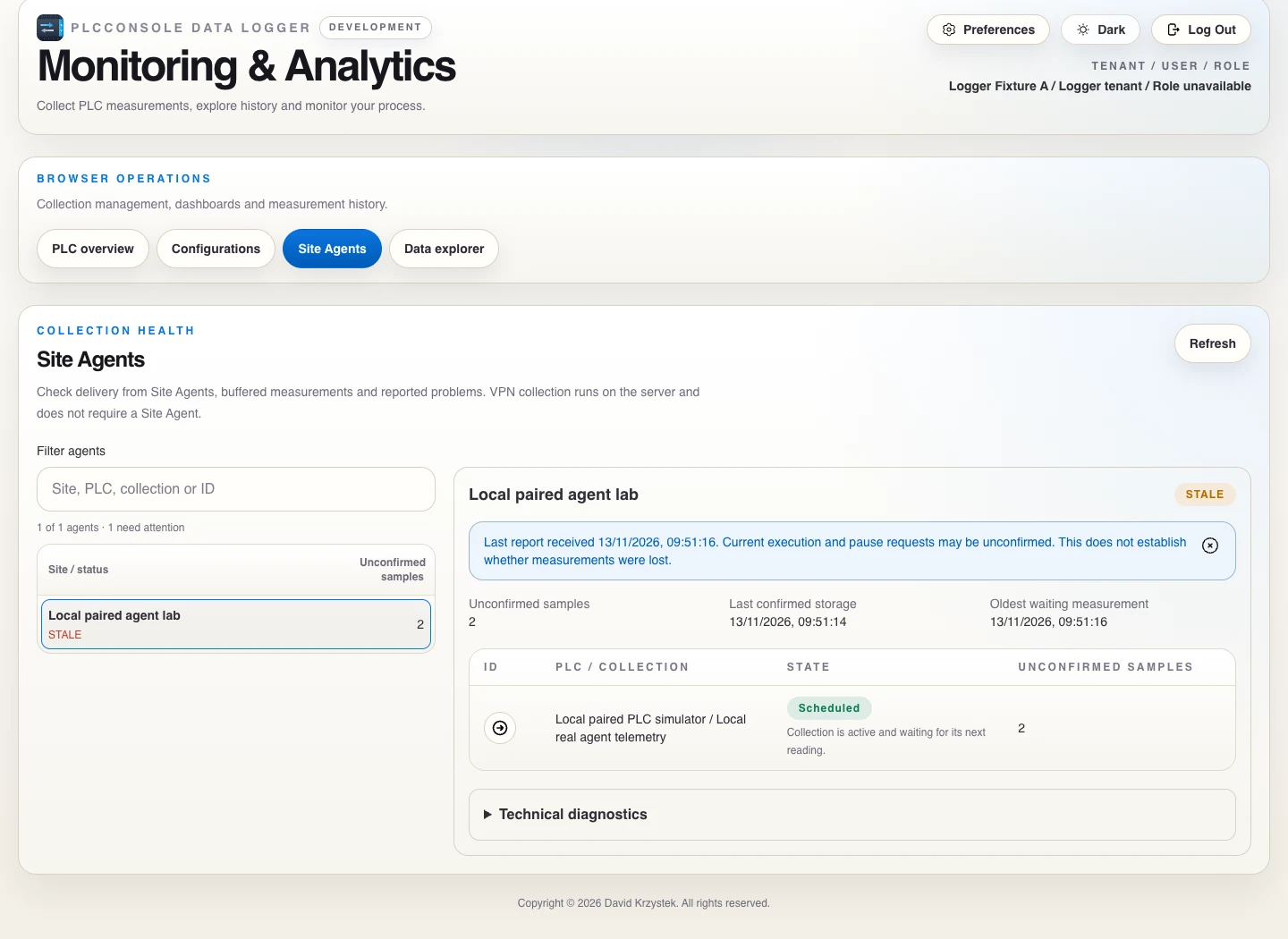
Open Site Agents for a site that uses agent collection. Find the intended site and PLC or collection. Inspect connection and collection status separately, including the most recent report and the requested and applied configuration when shown.

A recent agent report confirms communication with the agent. To establish that collection is working, also check Run status and the latest stored point in Data explorer.

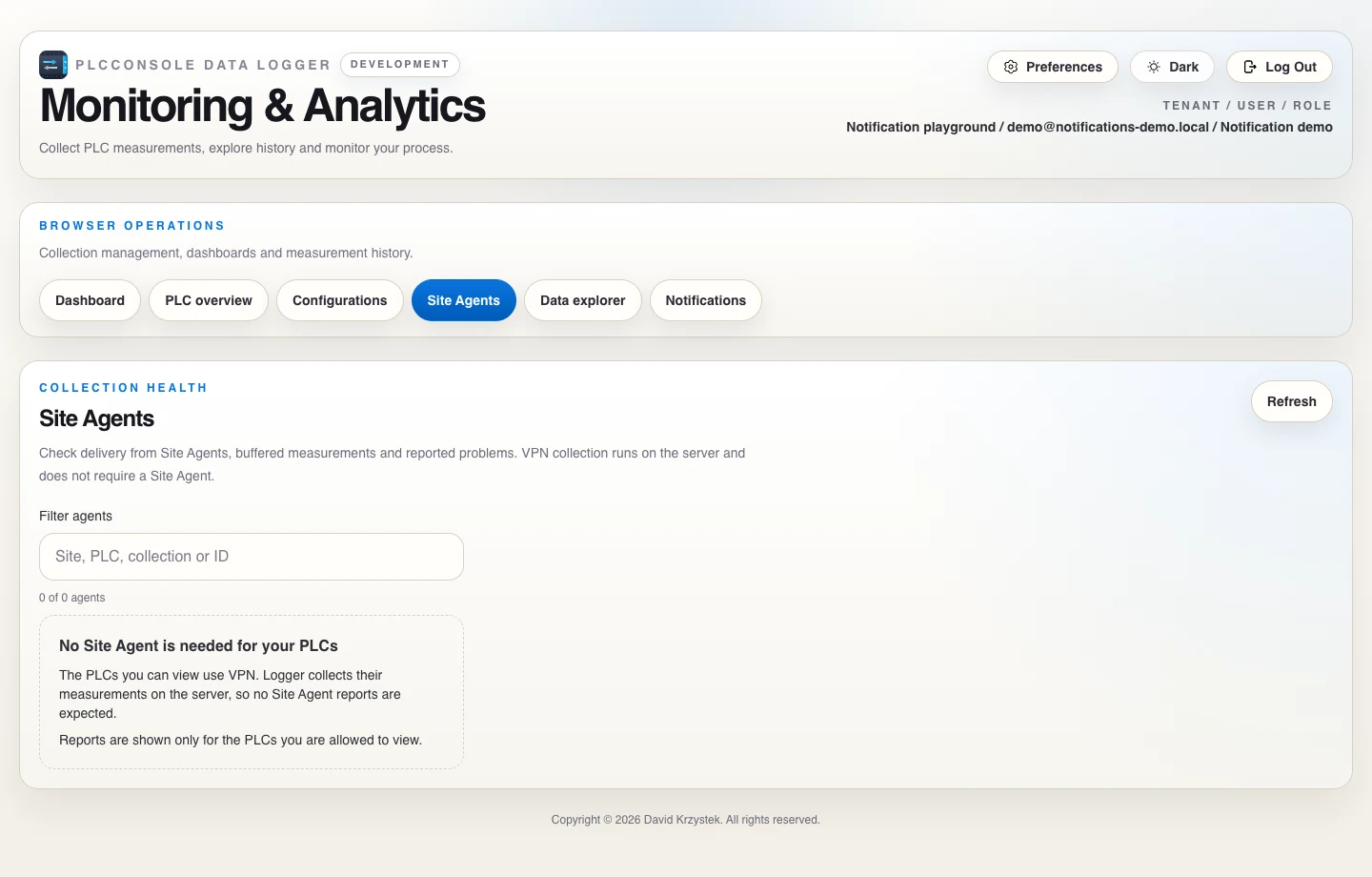
A Remote-managed VPN collection does not use a Site Agent. Check its configuration and Run status directly.

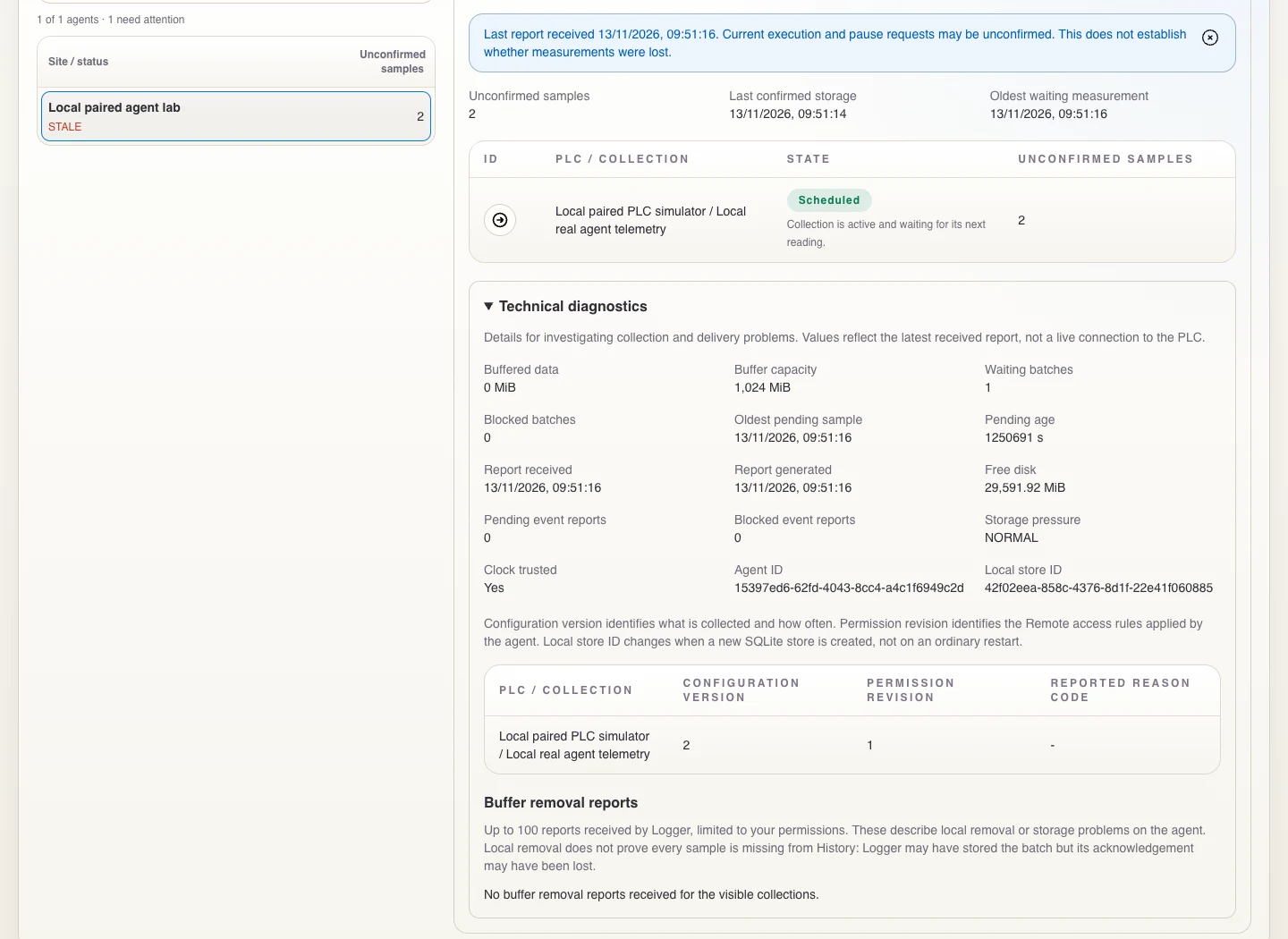
  1. Open the agent's Technical diagnostics and compare Report generated with Report received. Those times refer to the status snapshot. A stale report leaves the current execution state unconfirmed.
  2. In the collection details, compare the requested and applied versions. A difference means you still need an acknowledgement for the current definition, even if the agent reported recently.
  3. Check Last confirmed storage, Unconfirmed samples and any oldest waiting measurement. Confirm that the expected point and timestamp are available in Data explorer. That ties the agent's report to stored collection evidence.

Find the first missing piece

What you seeWhat to check
A PLC or action is missingConfirm the tenant and the required permissions for that PLC in Remote.
Configuration saved, values absentConfirm activation, then inspect Run status. Save alone leaves a new configuration paused.
Agent connected, measurements staleCompare requested and applied state. Check the latest run and any buffer or upload status before changing the configuration.
A trend has a gapCheck the selected period and time zone, then open Data details for failures and coverage. Keep the last credible timestamp for comparison.
An alert did not arriveCheck whether an incident opened, then compare the channel and latest attempt in Delivery audit. Check recent measurement timestamps if a site was offline.

Verify recovery and hand over evidence

After service resumes, confirm a new measurement with a newer observation timestamp. For an alert, track the incident and delivery separately. A restored connection alone is an intermediate result.

When escalating, report the tenant, site and PLC labels, configuration or incident ID, time zone, last known good measurement and the observed state. Keep credentials out of screenshots and support messages. For the Remote-side catalogue and connection checks, see the Remote Site Agents guide.