 PlcConsole
Connection Screen
Description
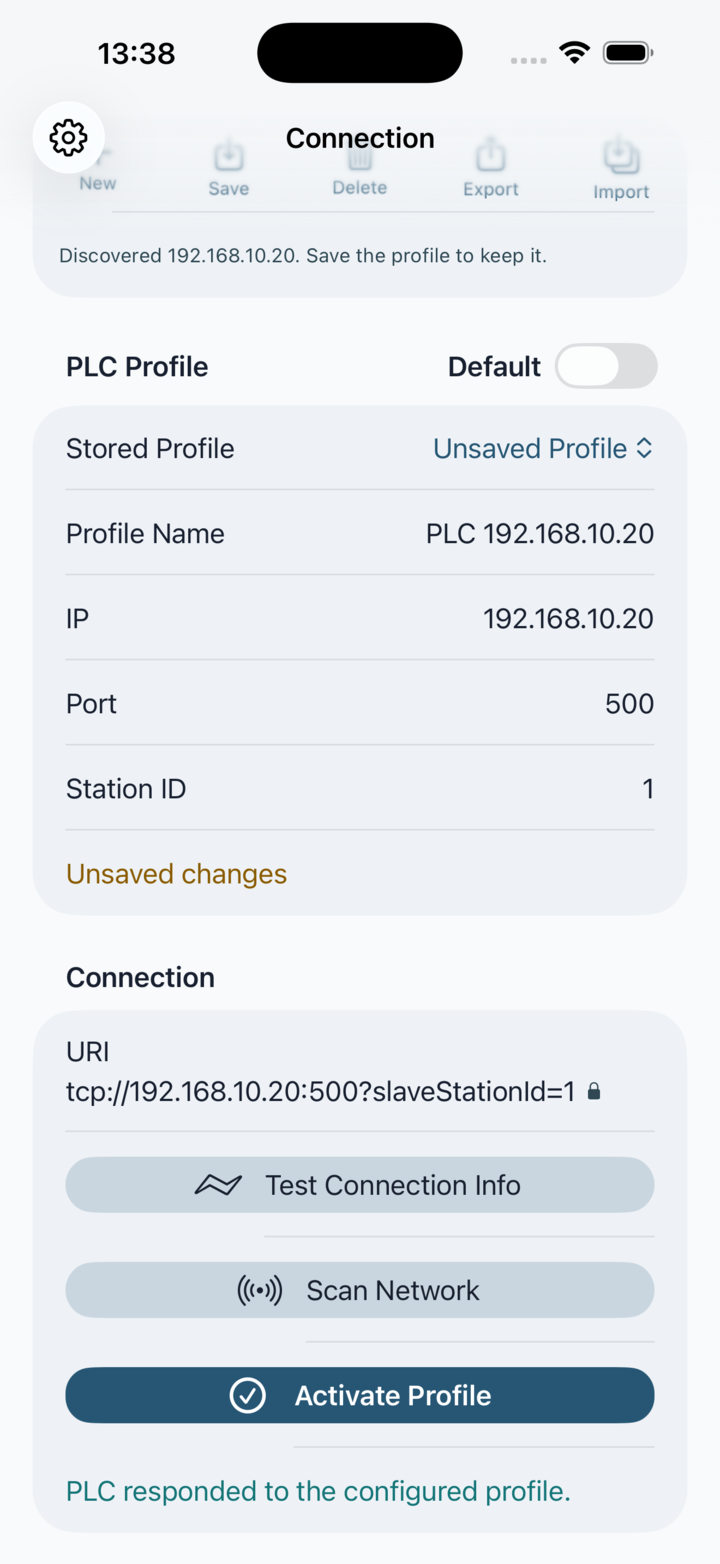
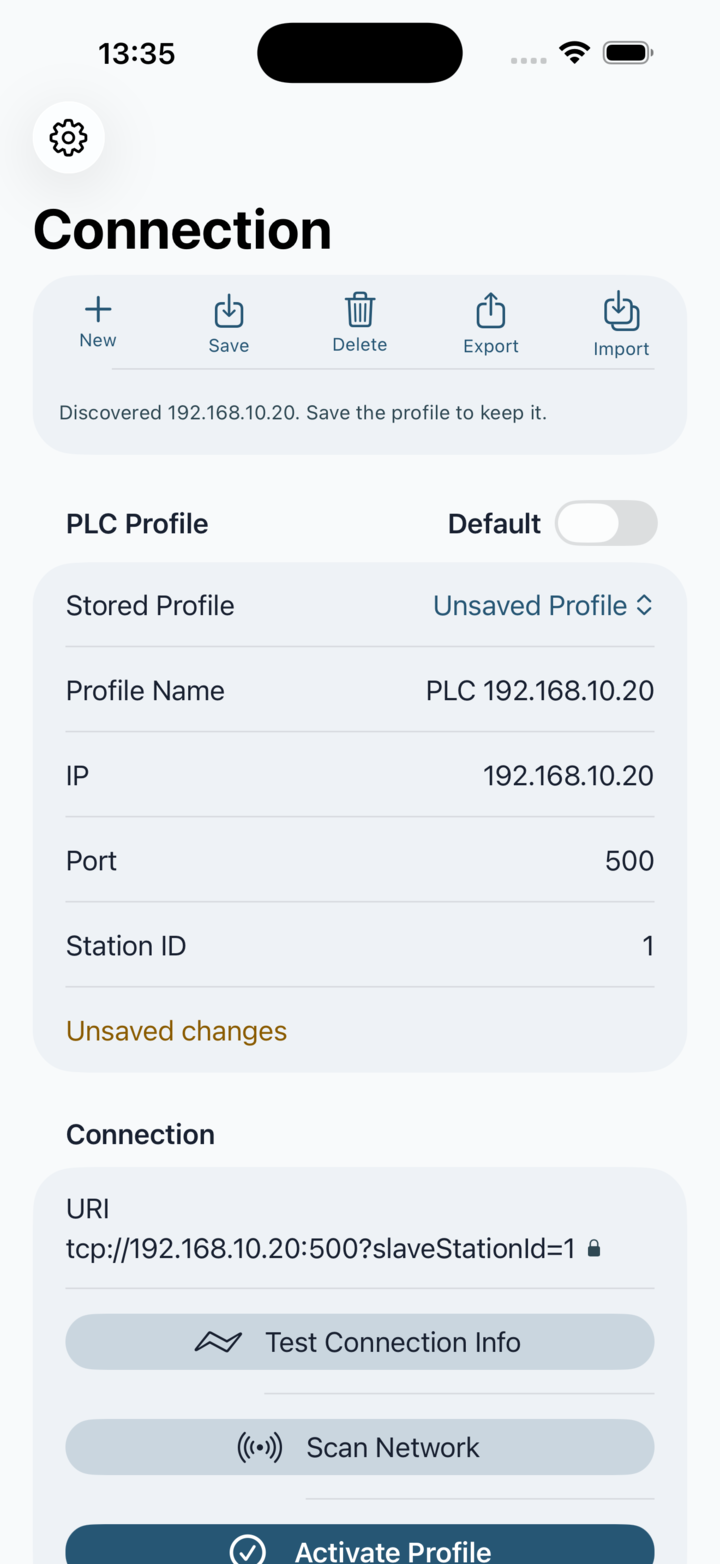
This screen combines profile selection, editing, validation and activation. Changes are made to a working profile. Save persists it locally; Activate Profile can use a valid unsaved draft, but does not store it.
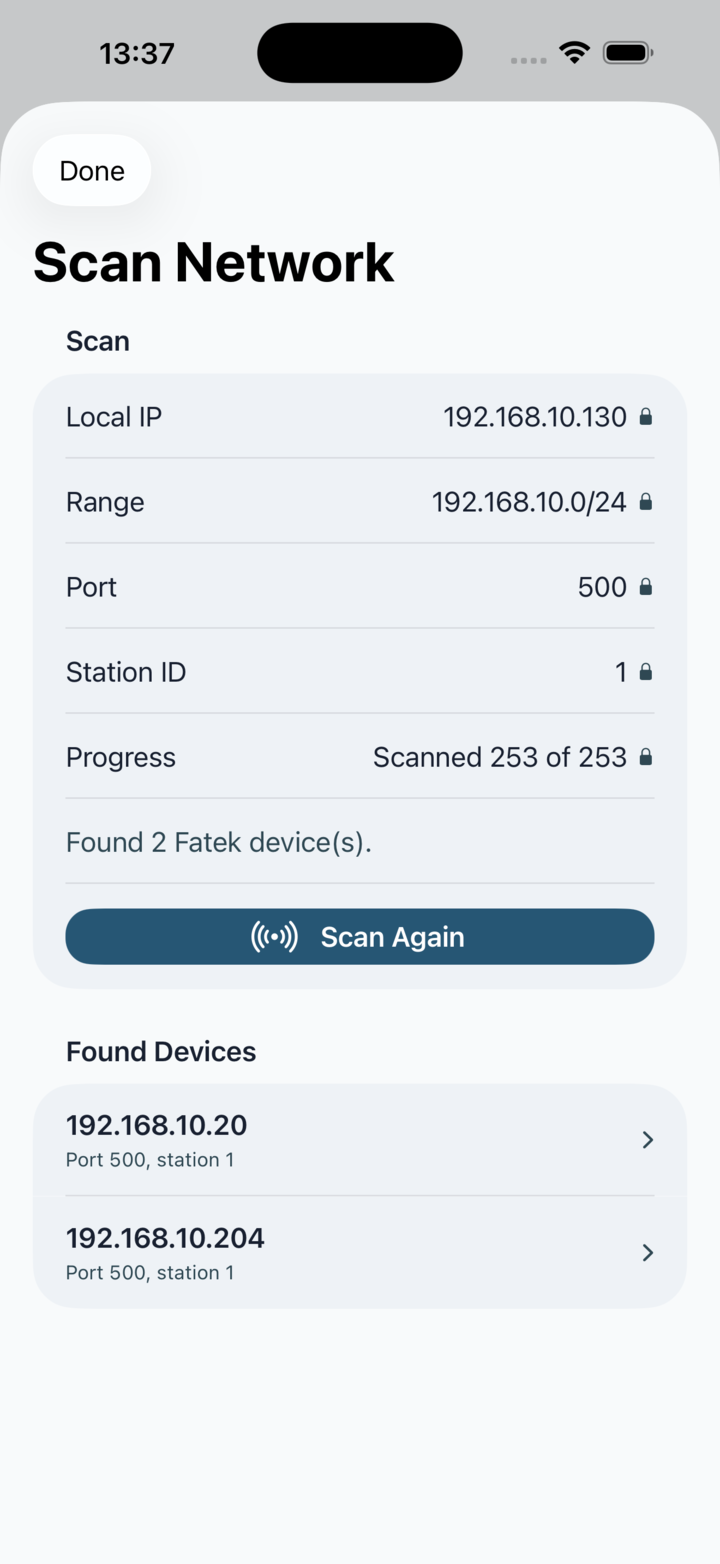
Stored Profile: Choose a local profile or work with Unsaved Profile. New creates a blank draft. A scan result also becomes an unsaved draft so you can name, review and save it deliberately.
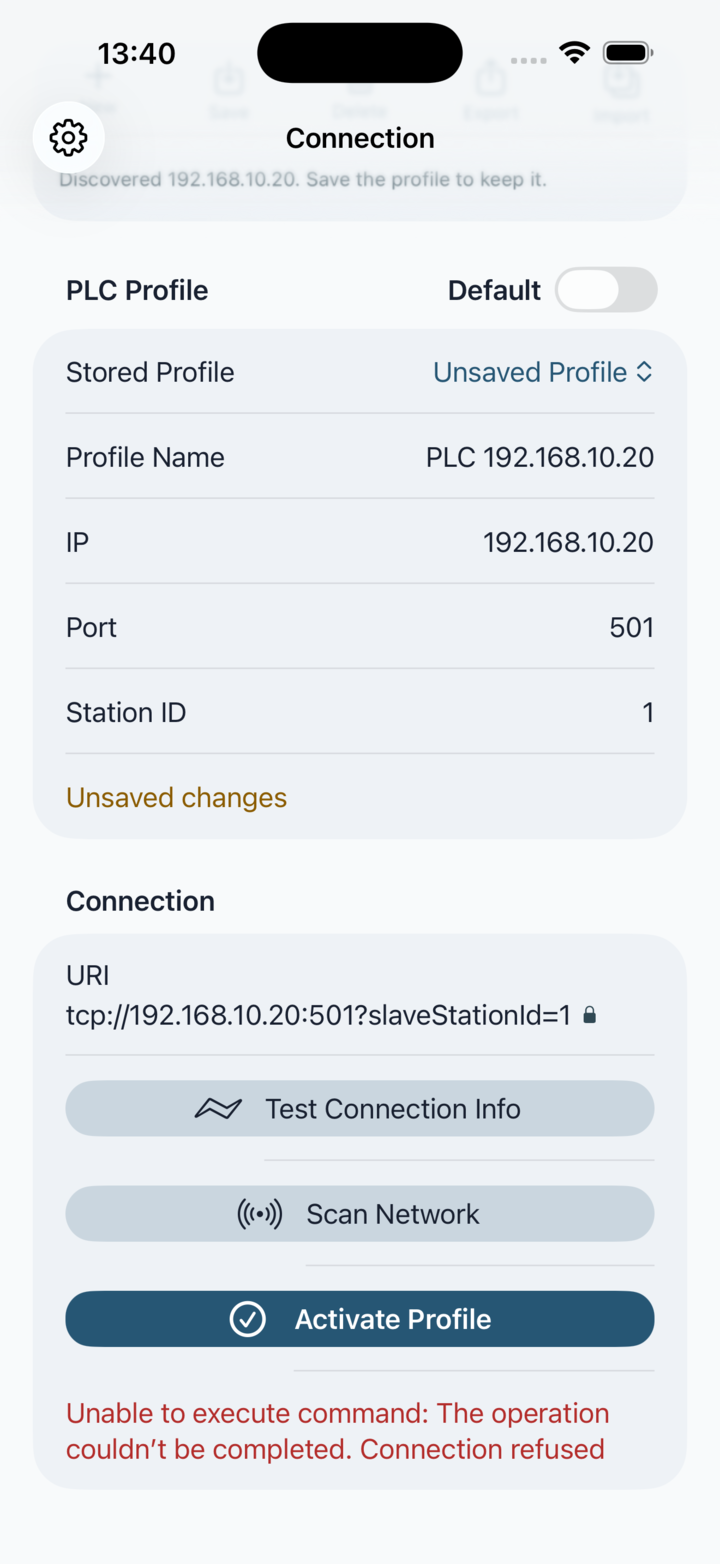
Profile fields: Profile Name is required. IP accepts an IPv4 address, Port must be from 1 to 65535 and Station ID must be from 0 to 255. The URI row shows the exact endpoint PlcConsole will use.
Save and default: Save is available only for a valid profile with unsaved changes. Default is available only after the profile is saved and has no unsaved edits; it determines which profile is preferred next time the app starts.
Changing drafts safely: If you select another profile, start a new one, import profiles or accept a discovered PLC while edits exist, PlcConsole asks whether to Save Changes, Discard Changes or Cancel.
Delete: Delete removes the selected saved profile after confirmation. It is unavailable for an unsaved draft.